SFTP Studio.
Files, terminal and editor in one app.
A fast, free SFTP client for working with remote servers over SSH. Browse files, run commands in multiple terminal tabs and edit text files without leaving the window.
Version 1.0.0 · Windows · Portable version available
BUILT FOR PEOPLE WHO WORK ON SERVERS
Everything you need to manage a server
One lightweight app instead of a file transfer tool, a terminal and a text editor.
SFTP file browser
Browse remote folders with folders listed first and hidden files dimmed. Type a path in the address bar to jump straight to it.
Multi-tab terminal
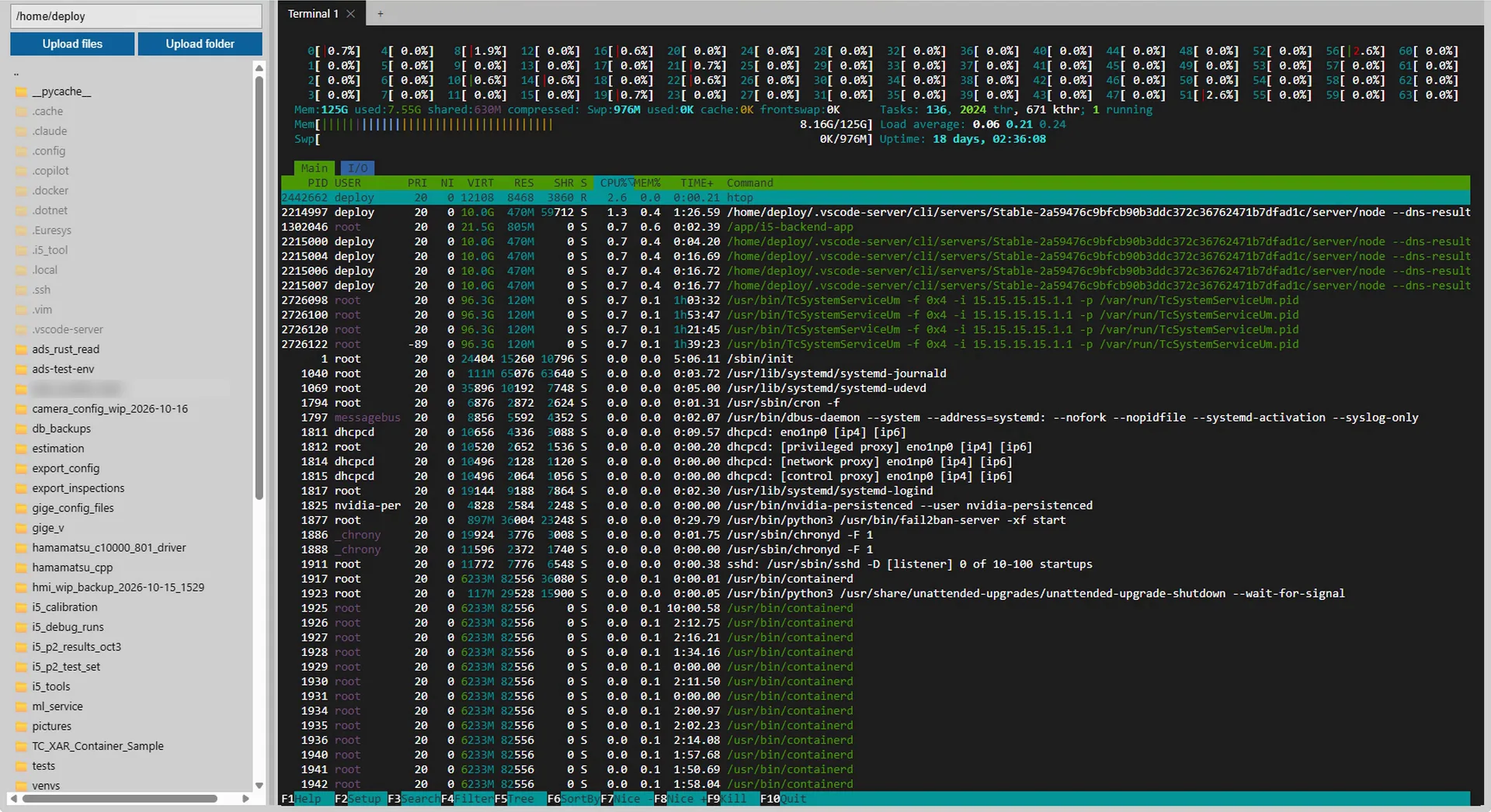
Open as many interactive SSH shells as you need over a single connection, with full xterm-256color support and copy/paste.
Text viewer & editor
Click a remote file to open it, edit it and press Ctrl+S to save straight back to the server. Binary files ask before opening.
Upload and download
Upload files or whole folders, and right-click anything to download it. Watch live progress and cancel at any time.
Rename, delete and properties
Rename or delete from the right-click menu, and inspect permissions, owner, group, size, timestamps and symlink targets. Folders show their total size and item count.
Private & portable
Credentials are kept in memory only and never written to disk. Run the portable build with no installer and no telemetry.
Watch SFTP Studio in under 3 minutes
A quick walkthrough of connecting to a server, transferring files, using terminal tabs and editing a file.
YouTube Video
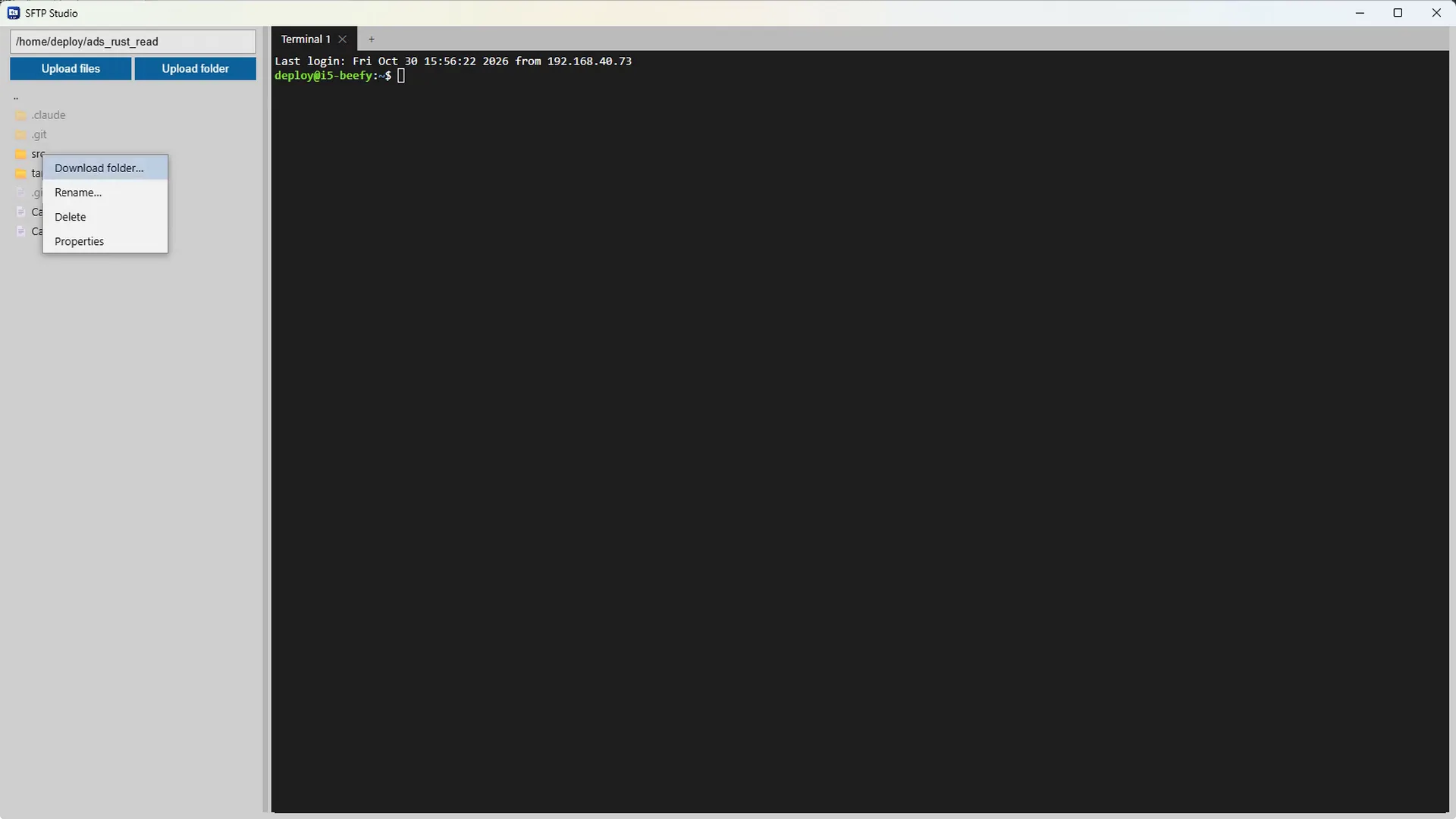
Manage remote files with a right-click
Download whole folders, rename, delete or check properties straight from the file list, and upload files or entire folders with one click.
Connected in seconds
All you need is a host, a username and a password.
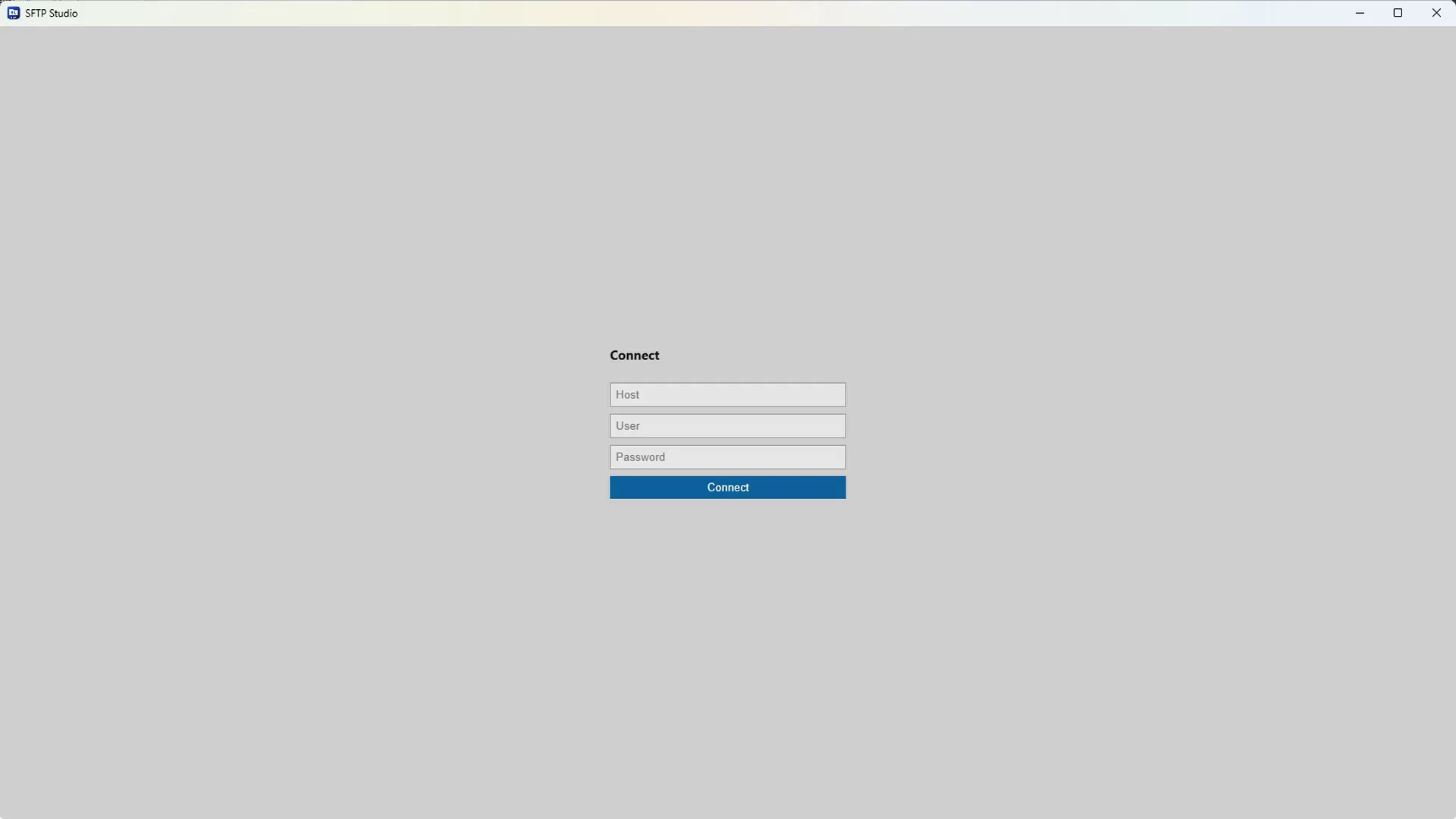
Connect
Sign in with just a host, a username and a password.
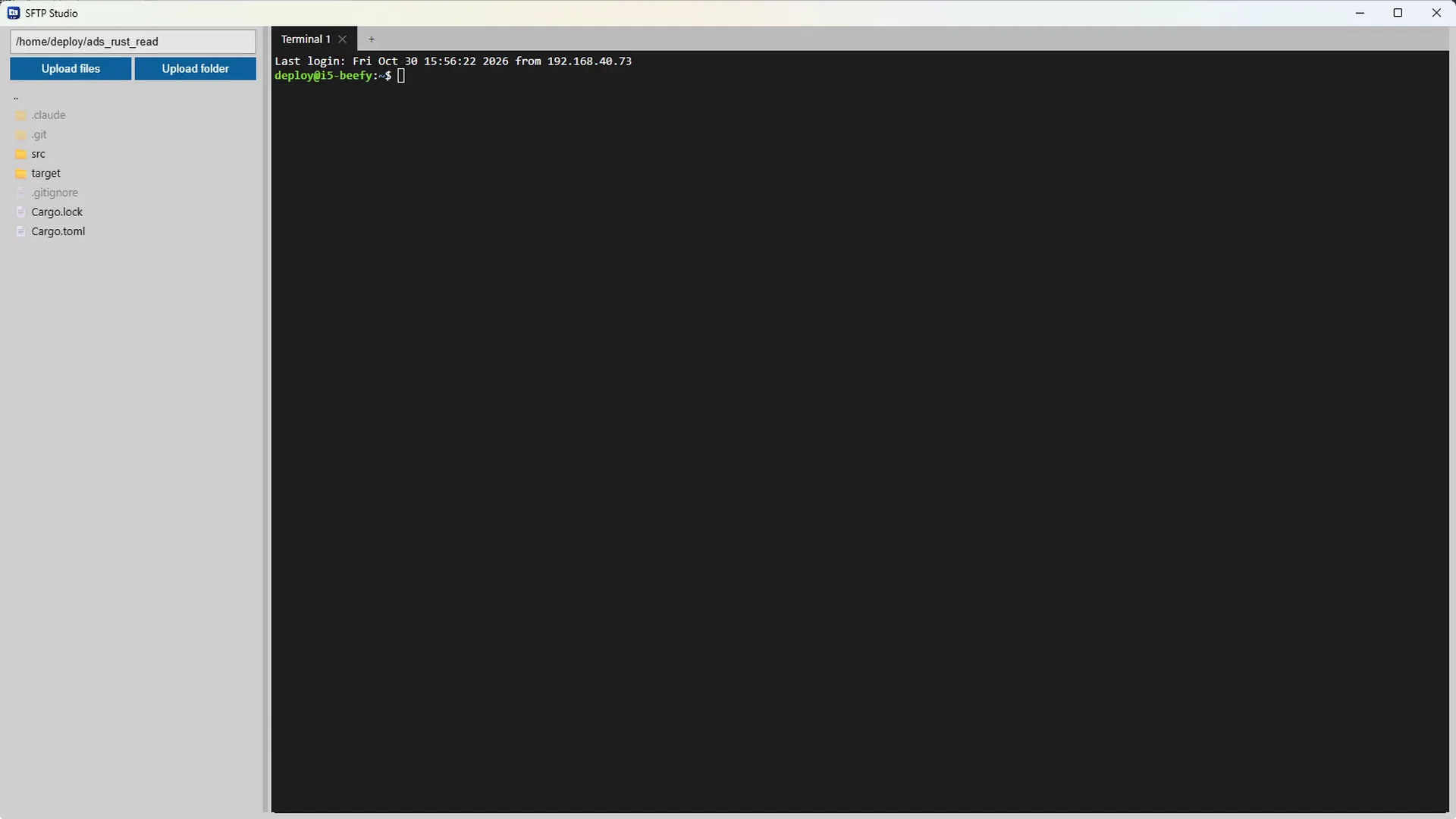
Browse
Your files appear on the left with folders first and hidden files dimmed, and a terminal opens beside them.
Get SFTP Studio for your system
Version 1.0.0. Portable builds run without installing anything. Download, open and connect.
Windows
Windows 10 or later
Linux
Ubuntu 20.04+, Fedora, Debian · 64-bit
Coming soon
macOS
macOS 11 or later · Apple Silicon & Intel
Coming soon
Looking for older versions or checksums? See all releases on GitHub
Built in the open.
The complete source code is on GitHub. Read it, build it, report bugs or send a pull request.
Common questions
Yes. It is free and open source under the MIT licence, with no ads, no accounts, no telemetry and no paid tier.
No. The portable build is a single file. Download it and run it, with no installer needed.
Enter the host, username and password on the login screen. Password authentication on port 22 is supported today. Key authentication and a configurable port are on the roadmap.
Only in memory for the length of your session. They are never written to disk, and the app connects directly from your computer to your server.
Host key verification is not implemented yet, so connections are not protected against man-in-the-middle attacks. Use SFTP Studio only on networks and servers you trust until it ships.
SSH and SFTP. The server needs the SFTP subsystem enabled. FTP and FTPS are not supported.
Yes. Use Upload files or Upload folder above the file list, and right-click an item to download, rename, delete or view its properties.
Absolutely. The full source is on GitHub. Issues, feature requests and pull requests are welcome.